
About MIDI
MIDI stands for Musical Instrument Digital Interface. It is a standard that records musical information—such as note data—and enables electronic instruments to send and receive this information between each other.
We will create an application that randomly generates notes and exports them as a MIDI file.
Since we’ll be building a MIDI file from scratch, this tutorial will introduce the structure and fundamentals of MIDI files, showing how to construct them while reviewing binary and hexadecimal data.
The application’s core will be developed in C++, and WebAssembly will be used to deploy it as a web app.

MIDI stands for Musical Instrument Digital Interface. It is a standard that records musical information—such as note data—and enables electronic instruments to send and receive this information between each other.
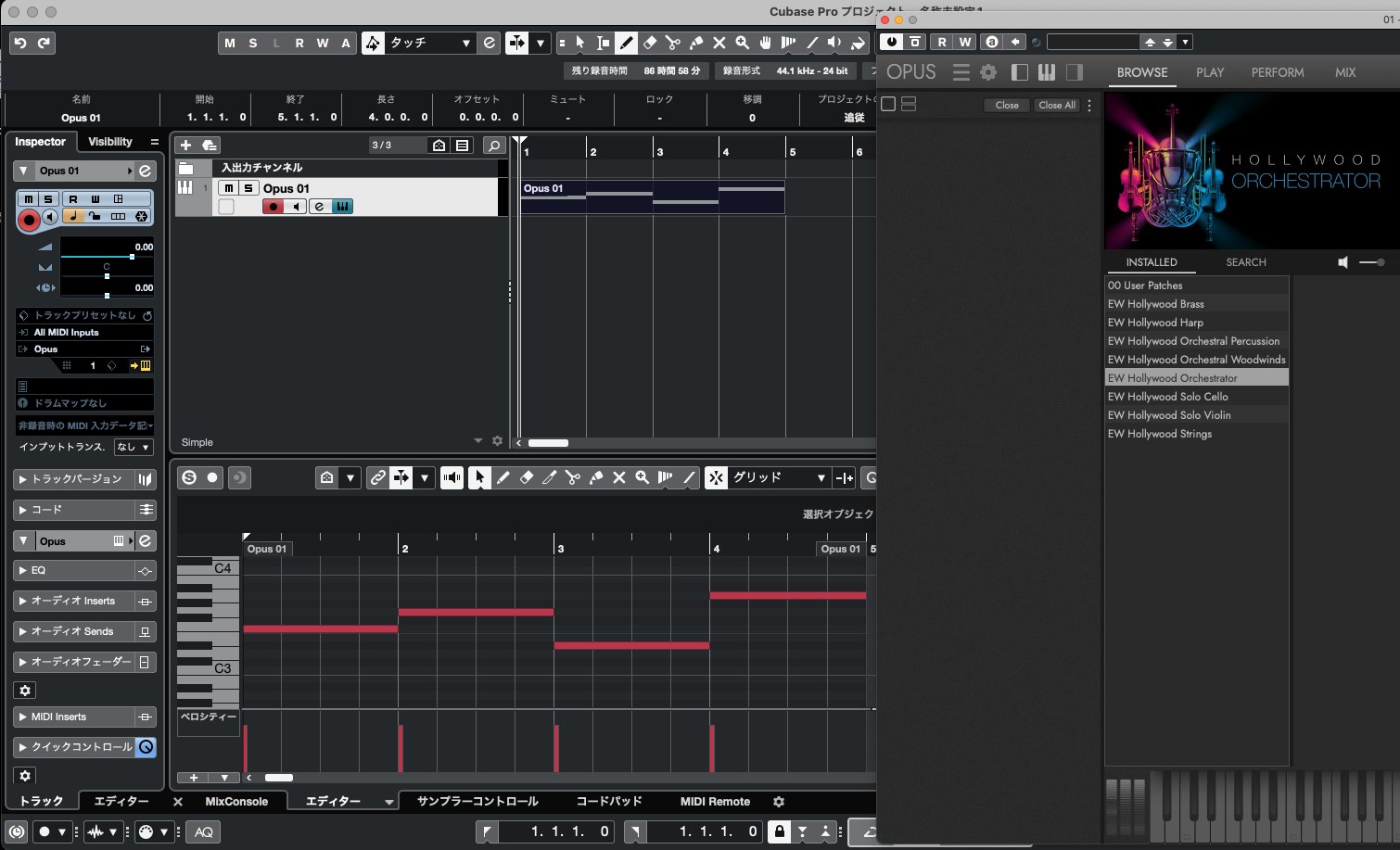
The image above shows Cubase (version 12), a digital audio workstation used by the author. In most DAWs, notes are represented as horizontal bars placed within a section called the piano roll. These bars record the notes’ timing and pitch.
Each bar represents both pitch and duration, and it also stores velocity—the strength or intensity of the key press, much like how hard you hit a piano key. By creating many such note entries and sending them to a virtual instrument (seen on the right), we can generate the final sound output.
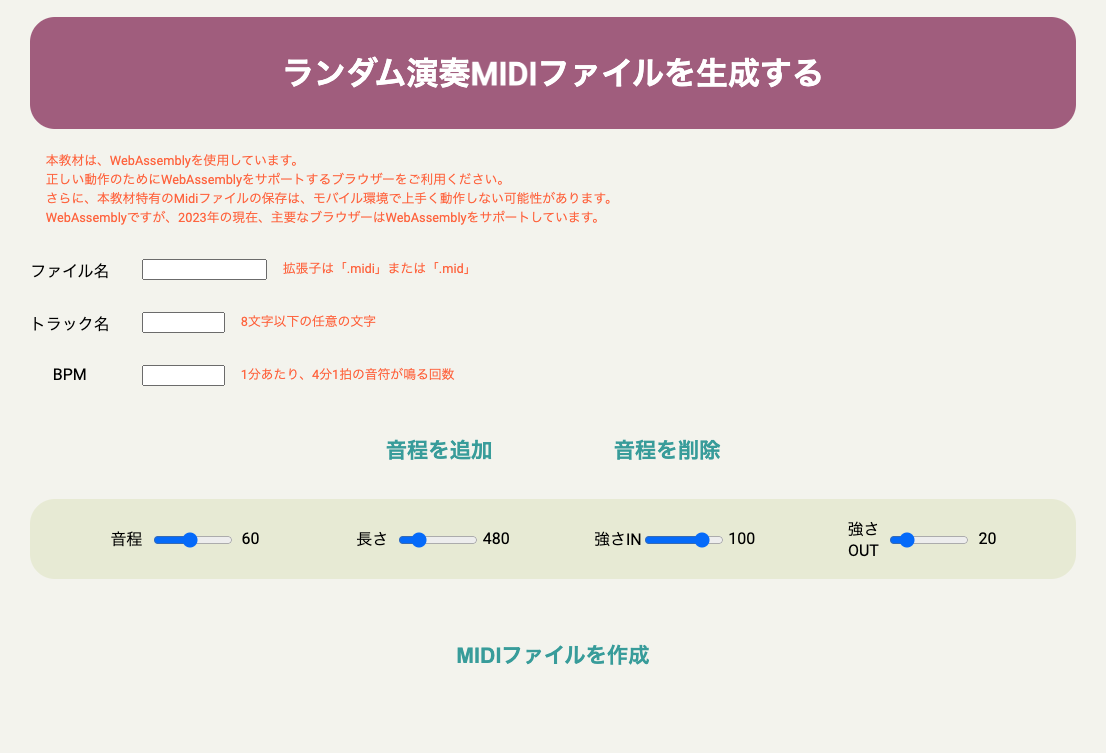
You can check the final version of this project from the link below. The exported MIDI files can be opened in most music software, and depending on the player, you can even listen to them using basic piano sounds
Please Check HereLet’s start by writing data to a file using programming. In C++, you can use the tool ofstream, which allows you to write data into files.
At the beginning of your code, include the following lines:
#include < iostream >
#include < fstream >
By doing this, you can use the tools that handle data as streams (input/output), and also gain the ability to manage files.
//
#include < iostream >
#include < fstream >


int main () {

        // Preparing variable to input
	char inputData[100];

	// Creating OFSTREAM object
	std::ofstream outputFile;

	// Opening file by specifying name
	outputFile.open("Exported FileName.dat");

	// User Interface
	std::cout << "Please input something and press Enter!(100 letters)" << std::endl;
	std::cout << ">> ";

	// Waiting for user input
	// 一行分入力される、つまり改行文字が入っている箇所まで入力となる
        // Receiving 1 row of input which means the input is spitted by letter for new line
	// Or,
        // New line applied by delimiter
	std::cin.getline(inputData, 100);

        // Saving letters to file
	outputFile << inputData << std::endl;


        // Close the file object for writing data
	outputFile.close();


	return 0;

}g++ main.cpp -o main
is a command that compiles main.cpp into an executable file named main.
The generated file, main, can be executed using ./main.
Executable files differ depending on the operating system—Windows uses .exe, while macOS and Linux typically don’t use extensions for executables.